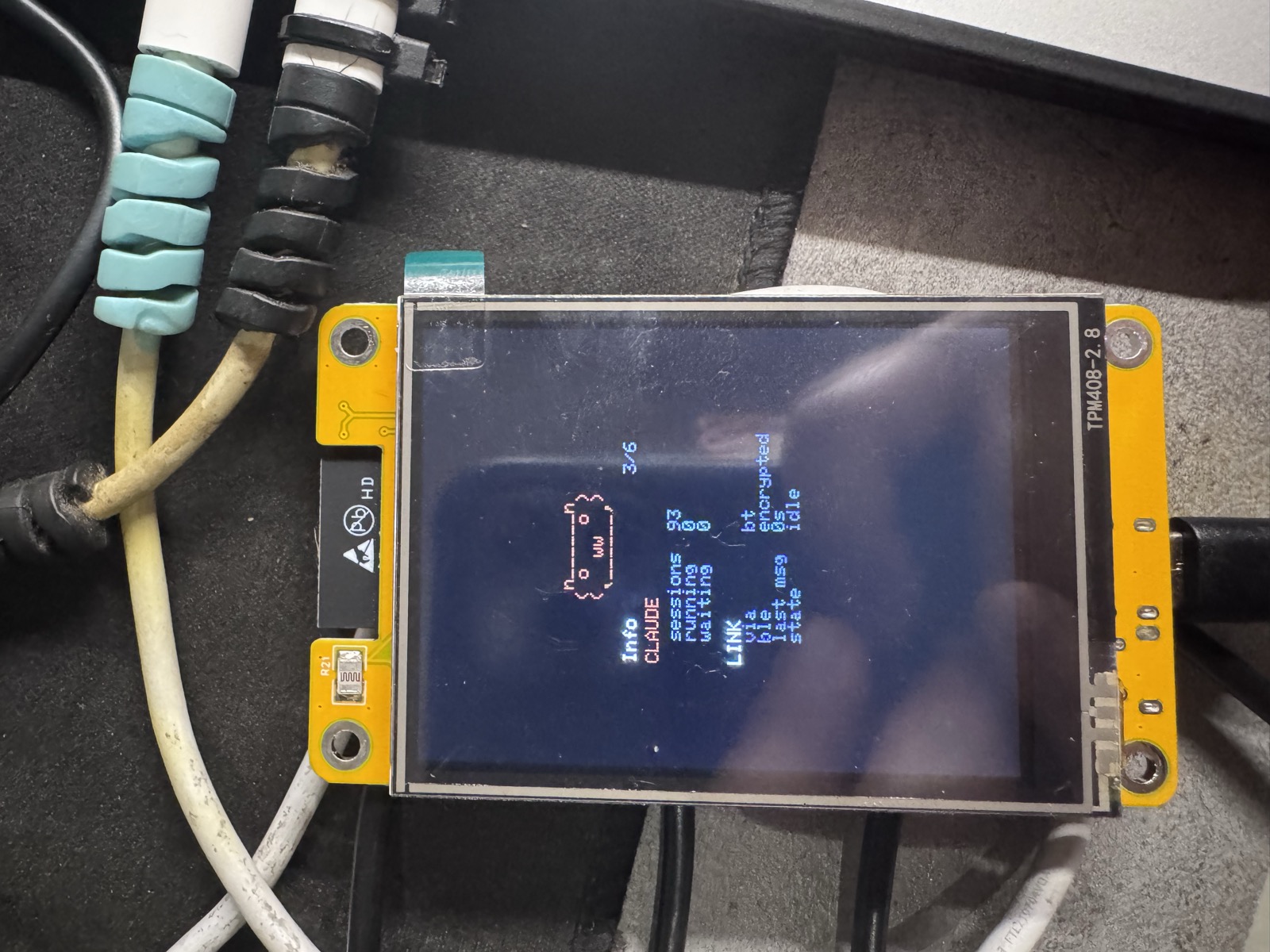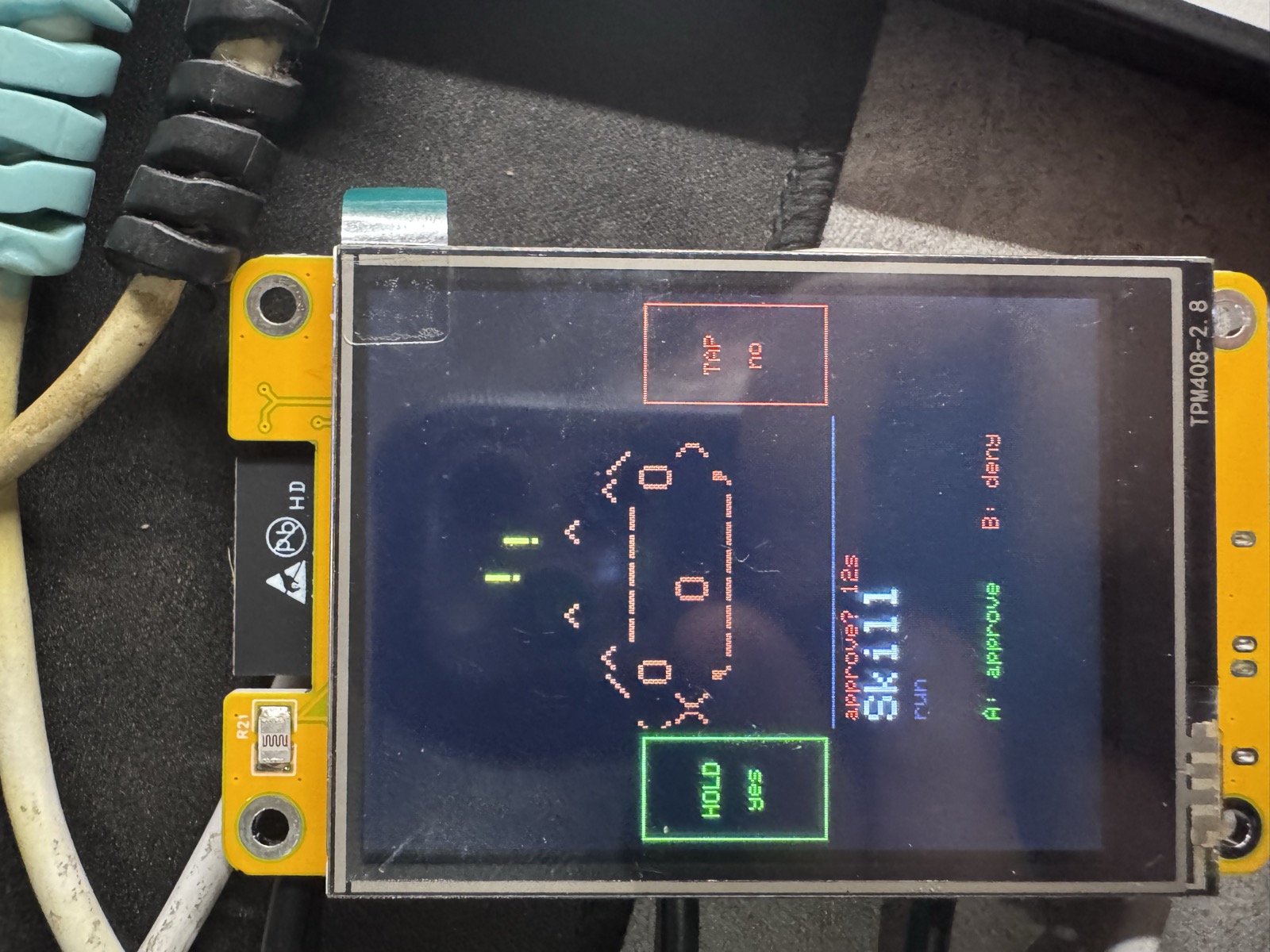
My terminal asked for permission to run a command last night, and I answered it by pressing on a small anxious capybara.
Let me back up.
Anthropic recently published claude-desktop-buddy, a lovely little maker project: a BLE protocol that lets Claude on your desktop stream session state to hardware, plus reference firmware for a desk pet that sleeps when nothing is happening, sweats when sessions are running, gets visibly impatient when a permission prompt is waiting — and lets you approve or deny it from the device itself. The reference hardware is an M5StickC Plus, a slim little stick with two physical buttons and a 1.14-inch screen.
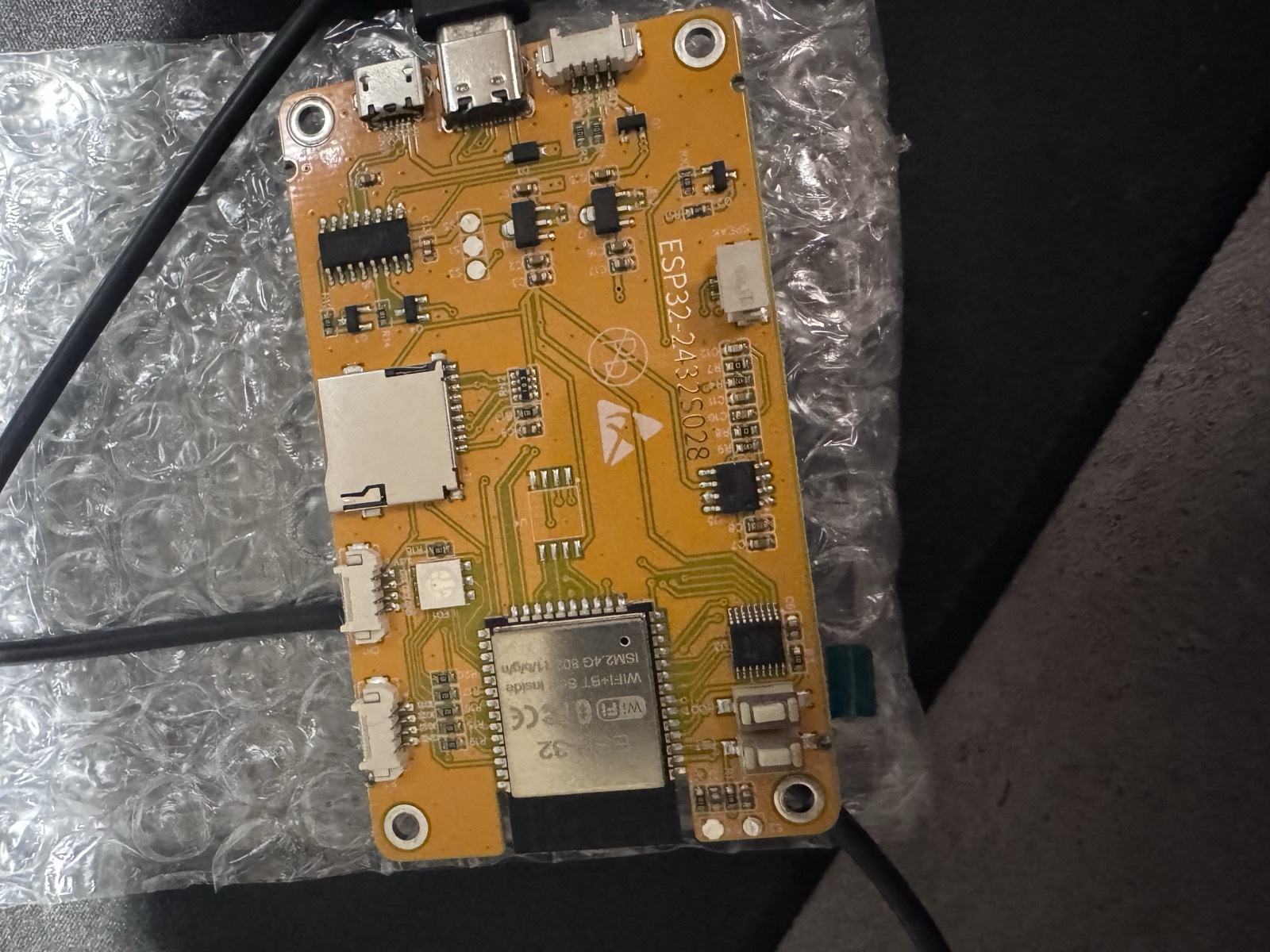
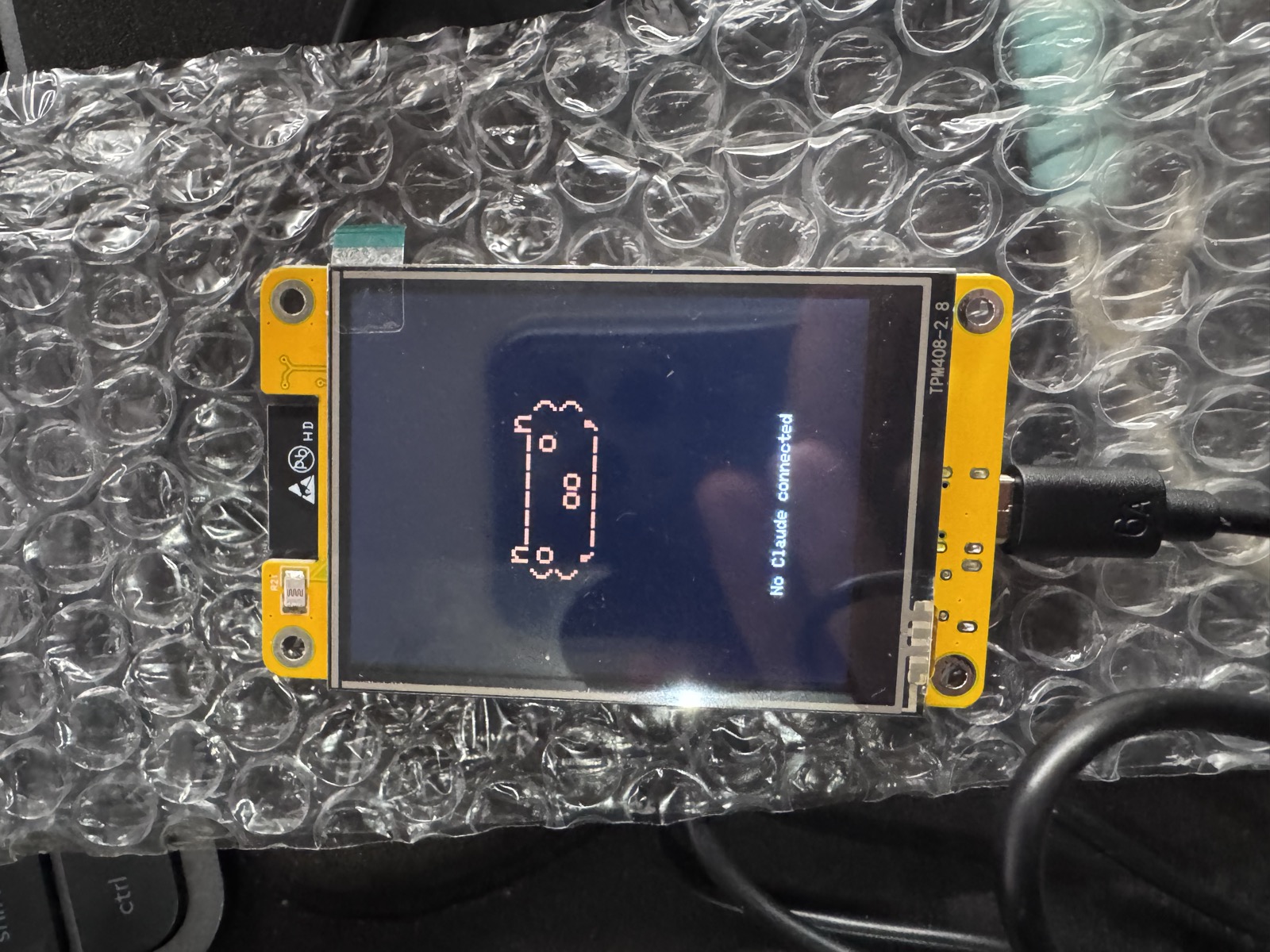
I didn’t have an M5StickC Plus. I had the other famous cheap ESP32 board: the ESP32-2432S028, which the community affectionately calls the Cheap Yellow Display. About $15, a 2.8-inch touchscreen, and a hobbyist ecosystem that has documented every solder joint on it. No buttons to speak of, no IMU, a resistive touch panel instead — a different animal wearing the same chip.
So the project became: port the buddy to the CYD, without forking myself into maintenance misery.
Fork like the manual tells you to
The first pleasant surprise was upstream’s CONTRIBUTING.md, which says, almost verbatim, that the best contribution is a fork and that ports to other boards should be exactly that. It even declares which files are the stable core — the BLE bridge and the JSON protocol parser — a polite way of saying keep your hands off these and future pulls will be painless.
That shaped the whole architecture. The port lives behind a single header swap: every upstream file that said #include <M5StickCPlus.h> now says #include "board.h", which hands back the real M5 library on the original hardware and a compatibility facade on the CYD. The facade — one header, one source file — impersonates the entire M5.* API the firmware touches: the display, the two buttons, the IMU, the power chip, the RTC, the beeper.
Some of those impersonations were almost free. M5.Lcd turns out to be a subclass of an embedded TFT_eSPI fork, so upstream’s draw calls are literally the TFT_eSPI API and the real library slots straight in. The 4MB flash, the LittleFS partition for GIF characters, the NVS settings — identical between boards. The BLE bridge compiled byte-for-byte untouched and paired with Claude Desktop on the first attempt, encrypted and bonded.
Some needed actual thought. The M5’s screen is 135×240; the CYD’s is 240×320, and an ESP32 without PSRAM cannot afford a full-screen 16-bit framebuffer — the math says 153KB, the heap says no. The trick was a display viewport: the panel letterboxes the original 135×240 canvas dead-center, upstream’s hardcoded pushSprite(0,0) lands exactly where it should, and the leftover side bands turn out to be useful real estate (more on that in a second).
And one impersonation was a small act of theatre. The original triggers a dizzy animation when you shake it — accelerometer, shake detection, spiral eyes. The CYD sits bolted to a desk with no IMU. But the shake detector just reads acceleration and looks for a spike, so my facade’s fake IMU reports calm gravity forever… until you scribble on the pet with your finger, at which point it reports one glorious fake spike and the untouched upstream code concludes it has been shaken. The pet gets dizzy. Nobody upstream is any the wiser.
Touch is not a button
The M5 original has two physical buttons: A approves, B denies. The obvious touch translation — tap left half to approve, tap right half to deny — has a problem that a review pass caught before I wrote a line of firmware: a resistive panel registers any pressure. Wiping dust off the screen should not grant Claude permission to run a shell command. A physical button demands deliberate force; a naked tap zone demands nothing.
So approval is asymmetric on purpose. While a prompt is pending, deny stays a plain tap — a false “no” costs you a retry. Approve requires pressing and holding for half a second — a false “yes” costs whatever the command was about to do, so it has to be a gesture you cannot make by accident. And those letterbox side bands earn their keep: while a prompt is up, they light with a green HOLD yes and a red TAP no, so the invisible zones are only invisible when nothing is at stake.
The rest of the input mapping fell out naturally. Tap left to cycle screens, tap right to page through, hold to open the menu, and the board’s lone physical BOOT button inherits the power-button duties. The one genuinely humbling discovery: the panel’s community calibration values worked on my unit unmodified, which by clone-hardware standards is a small miracle.
The gap, and the second wire
Then I hit the limitation that turned an evening port into something actually mine.
The desktop app’s bridge forwards the sessions it manages. Start a Claude Code session from the app and its permission prompts appear on the buddy, LED blinking, capybara agitated. Start one from a plain terminal — which is where I actually live — and the buddy dozes through it. The protocol is one-way; the device only knows what the desktop tells it, and the desktop doesn’t speak for terminals.
The fix came from two features that were clearly never designed to meet, and fit anyway.
First: the buddy firmware reads its JSON protocol on two transports — BLE and USB serial — and answers on both. That USB cable powering the pet is a fully functional command channel that nothing was using.
Second: Claude Code has a hook event called PermissionRequest that fires exactly when a permission dialog would appear, and lets an external command answer it.
Connect the dots and you get a forty-line bridge: the hook fires, a script writes the prompt down the USB cable, the capybara does its impatient dance, I press-and-hold, the decision travels back up the wire, and the hook returns allow. The terminal session proceeds as if I had answered it — because I did, just not with a keyboard. If the buddy is unplugged or I ignore it for 45 seconds, the normal terminal prompt appears and nothing is lost. The hook is inert unless the pet can answer.
Desktop-app sessions ── BLE ─────────────────┐
                                             ▼
Terminal sessions ── PermissionRequest hook ── USB serial ──► 🦫 decides
One wrinkle deserves a confession: both bridges run at once, and the desktop’s heartbeat kept clearing my serially-injected prompt every ten seconds mid-approval — the screen would flash the prompt, blank it, flash it again like a haunted jukebox. The fix is a dozen gated lines of arbitration in the firmware: a prompt that arrived over USB survives BLE’s attempts to clear it until it’s actually decided. The two transports now coexist without stepping on each other.
The parts list, honestly
- ESP32-2432S028 “Cheap Yellow Display” — about $15. Get a USB-A-to-C cable; the board’s USB-C port is missing its CC resistors and a C-to-C cable will silently power nothing, which cost me exactly one confused minute.
- Anthropic’s claude-desktop-buddy — MIT licensed, fork-friendly by design.
- Claude Desktop with Developer Mode for the BLE side; a
PermissionRequesthook for the terminal side. - One evening, most of which was spent on research and review before any code — which is why the code mostly worked when it finally existed.
The fork, including the CYD board target, the touch input layer, the terminal bridge, and a one-command hook installer, is on my GitHub. Flash it with pio run -e cyd2usb -t upload, pair it from Claude Desktop’s Developer menu, run ./tools/install_hook.sh, and a small creature on your desk becomes the arbiter of what your AI is allowed to execute.
There is something quietly correct about the ergonomics. A permission prompt is a real decision, and moving it off the screen — to a physical object, with a deliberate gesture, guarded by a pet that judges you — makes it feel like one again. Also the capybara does a little heart animation when you approve quickly, and I am not above admitting that this modifies my behavior.